The more registrations you get for your events, the more opportunity you create to grow your business, camp, sports league, or organization.
But how do you get the ball rolling? How do you get more registrations for your events?
Online registration software tools like Event Manager automate and organize event registration—and process and secure event payments. What you may not know is that the software also comes with a set of controls and features to drive demand and increase registrations.
Here’s a rundown of 10 ways to boost online event registrations and use Event Manager software like a champ.
1) Activate social media networking buttons on your registration pages.
Nothing is more powerful than a recommendation or endorsement from a friend or colleague. By activating the Twitter and Facebook buttons on your Event Manager registration pages, you make it easy for participants to share your event with others.
How to do it
Go to the Admin tab and check the box next to Display social networking links on your forms.
2) Add an event listing link to your website.
Event Manager includes a registration homepage—or event listing—of all your active and publicly available registration pages. Include it on your website to show everyone what’s going on at your facility.
How to do it
Go to the Admin tab. Copy the link under the Website Integration section. Add the link to a page, or multiple pages, on your website. Active events can be viewed in a list, calendar, and map format.
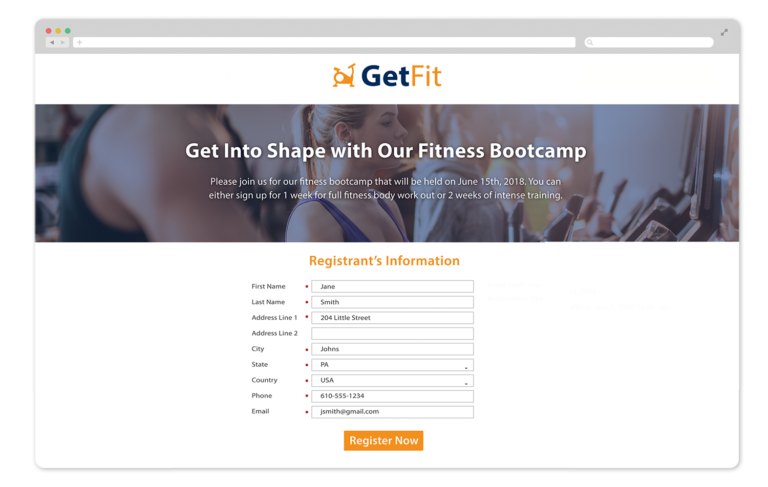
3) Send emails to past participants.
Your past participants are likely to attend other events you hold. Sending an email about your upcoming event is the most direct way to communicate.
Start by selecting your email list in Event Manager. The list can be as broad or as specific as you’d like. Let’s say that you run an annual tournament. You can choose to include all past tournament participants in your list or just last year’s.
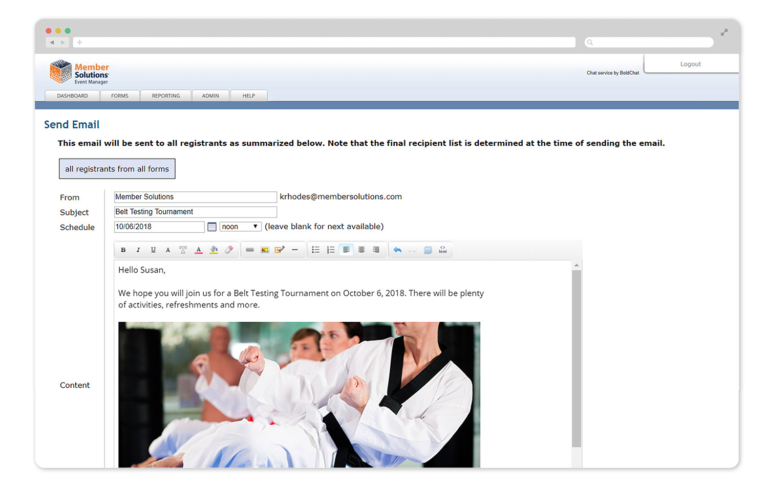
Once the list is pulled, an email to the group can be sent through Event Manager.
How to do it
Go to the Reporting tab. Select a form or forms, click the OK button, and then click the Update Registrant List button to generate the list.
Next, click the Email button. Write your email, and click the Send Email button as shown.
4) Use data to make decisions.
What do your past registrants have in common? Are there business opportunities you’re missing?
The Reporting tab in Event Manager gives you the option to select on event forms and custom fields — specific data that you’ve collected on registrants such as age, location, T-shirt size.
By diving deep into your data, you can identify trends and commonalities among your registrants. Then you can take the next step by sending targeted communications to those select groups.
How to do it
Go to the Reporting tab. Select your event forms and/or custom fields, click the OK button, and then click the Update Registrant List button. From there, you can either download the list as an Excel file or email the group directly from Event Manager.
5) Set early-bird pricing with an expiration date.
A savings incentive tied to an expiration date is a great way to generate early sign-ups.
How to do it
Select a form. Go to the Pricing tab. Click Yes next to Is your pricing based on registration date?
Enter the cutoff date. Then, enter the event registration fee before your cutoff date and the event registration fee on or after your cutoff date.
6) Set up and distribute promo codes.
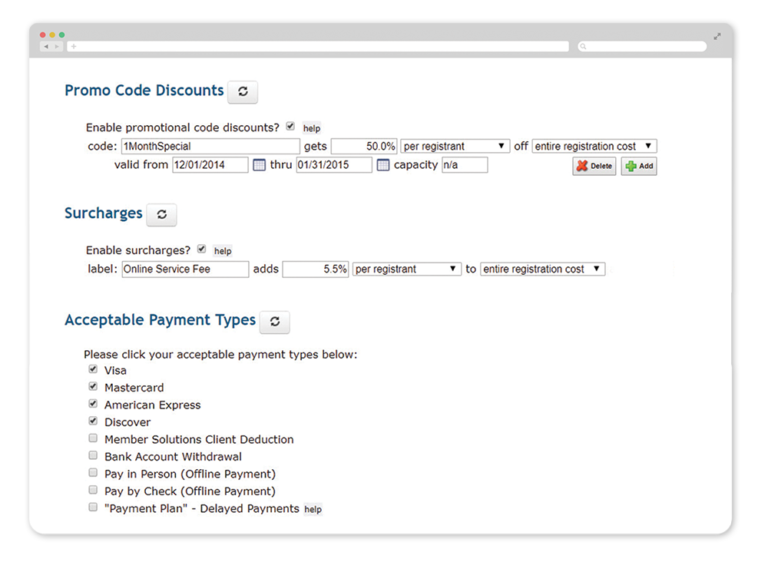
Sending a promo code to a select group of prospective registrants promotes exclusivity and will ultimately increase event registrations. In Event Manager, you have the option of creating dollar and/or percentage discount codes that registrants can apply when signing up for your event.
How to do it
Select a form. Go to the Pricing tab. Check the box next to Enable promotional code discounts? Enter a code, and then enter a dollar or percentage discount as shown.
7) Set a seating capacity.
Scarcity increases demand and compels people to take action right away, rather than waiting. Put a limit on the number of spots available at your event—and communicate the limited availability in your marketing messages.
How to do it
Choose your event form in Event Manager. Go to the Advanced tab. Enter your seating limit next to Maximum form capacity. Once the limit is met, the registration form will close on its own.
8) Use the confirmation screen message and confirmation email to promote future events.
When an event registration is completed, a confirmation message appears on the screen, and a confirmation email is sent to the registrant. These are two ideal spots to highlight future events or membership specials.
How to do it
Select a form. Click on the Marketing tab. Click the Customize button next to Email Notification to update the confirmation email. Click the Customize button next to Registration Confirmation Screen to update the confirmation screen message.
9) Follow up on abandoned registrations.
You’re in the process of ordering a product online. Your phone rings. You get distracted. You don’t complete the order. It’s a common occurrence.
Event Manager gives you a tool to track pending and abandoned registrations so you can reach out to prospects and members sooner and turn them into event participants.
How to do it
Go to the Reporting tab. Select pending or abandoned in the Status dropdown box. Click the Update Registrant List button to generate the list.
10) Track what’s working so you can do more of it.
See a flurry of sign-ups once posting about your event on Facebook? Notice a group of registrations come in after sending your members an email?
Know the source. In Event Manager, you can add tracking code to the link to know from where each registration came and which marketing channels are working.
How to do it
Before adding your registration link to a Facebook post, an email or on the web, add &ref_id=UNIQUE SOURCE NAME to the end of your Event Manager registration link.
All registrations that come in from the link will be tagged accordingly with your source name in your Event Manager registration data.
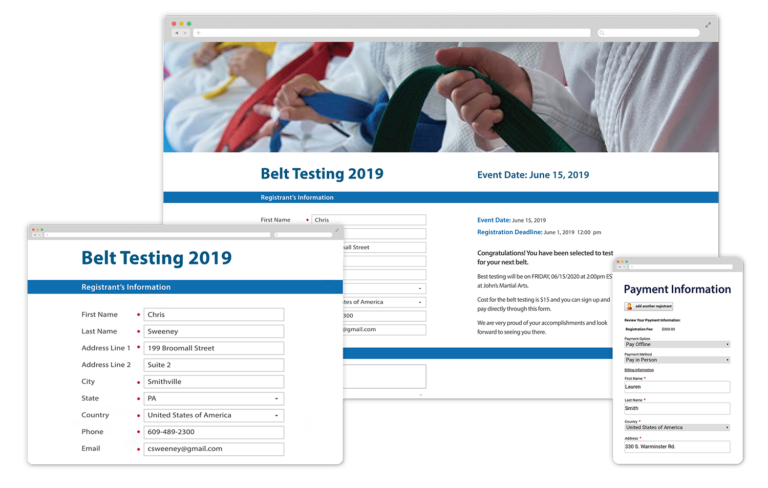
Events strengthen retention and generate leads.
Apply these tips when using Event Manager to get your event seats filled and create more growth opportunities for your business.